

When developing and installing Delphi plugins, you may encounter the cryptic “Can’t load package…” error. This message provides little information about the actual cause, making troubleshooting difficult. At GDK Software, we use the Dependencies checker tool to quickly identify missing .bpl files and resolve these issues.
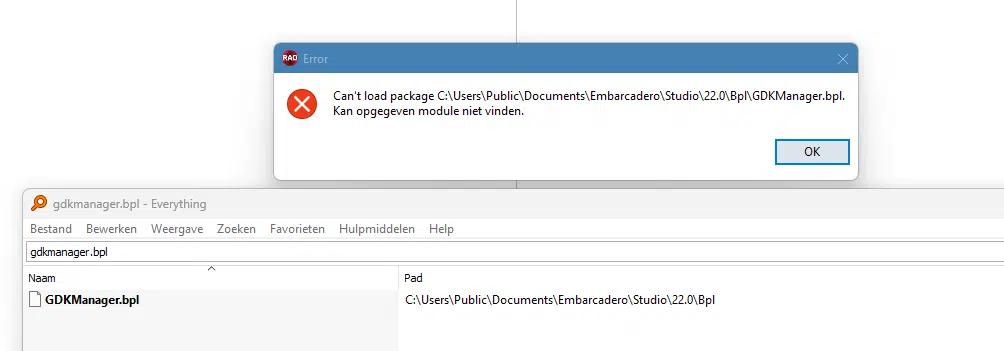
This error is most likely caused by missing .bpl files. Your code compiles and the plugin builds successfully, but one or more required .bpl files are missing during installation.
To identify which files are missing, use the Dependencies checker tool. This tool analyzes your compiled .bpl file and shows exactly which dependencies are not found on the system.
Download Dependencies checker (x64)
Follow these steps to diagnose missing dependencies:
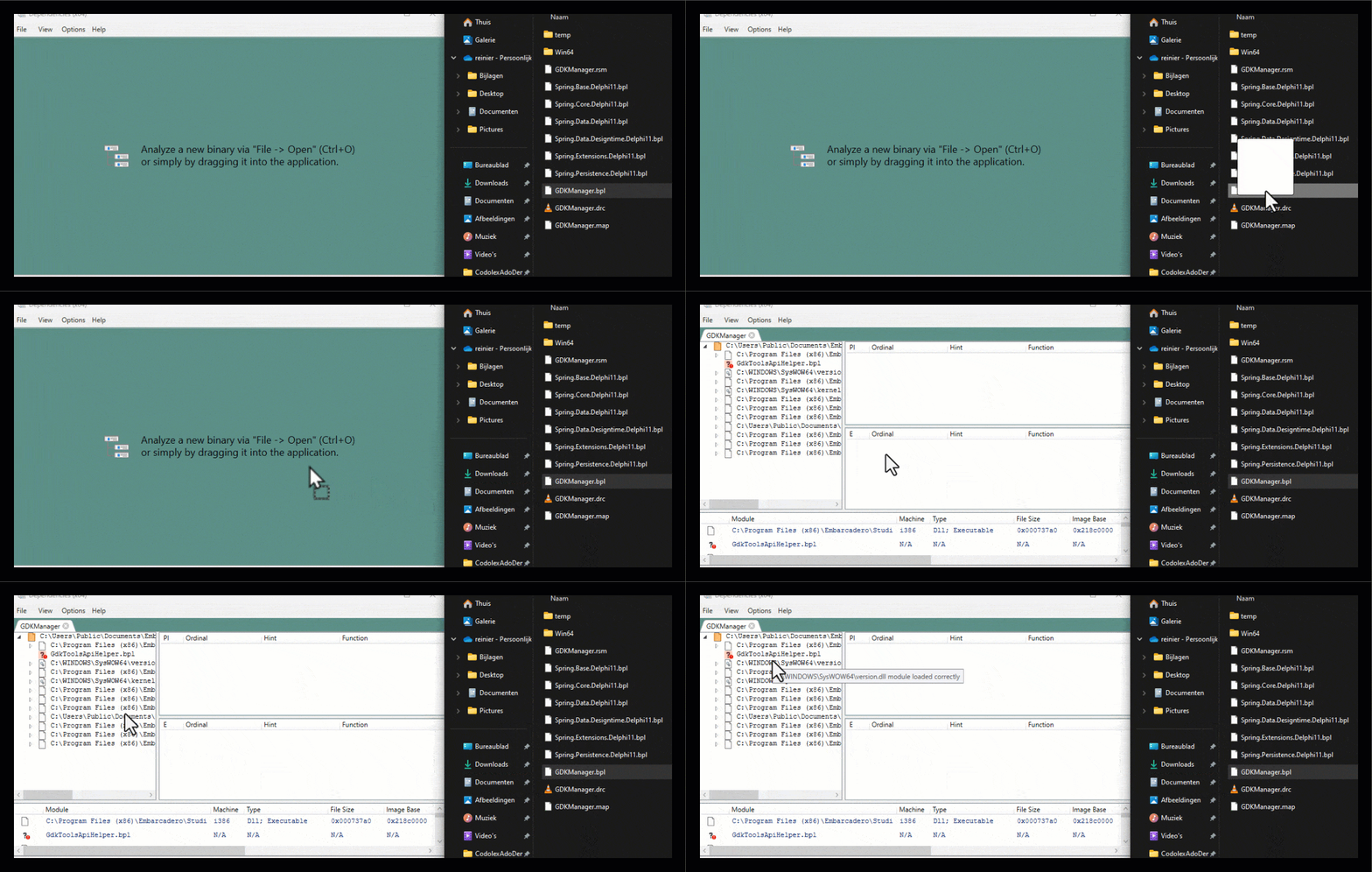
In this example, the tool reveals that GDKToolsApiHelper.bpl is missing. After building this dependency and placing it in the correct location, the plugin installs successfully.
The Dependencies checker is an essential tool for diagnosing plugin installation issues in Delphi. By identifying missing .bpl files before deployment, you can save significant debugging time. For more debugging techniques, read our article on A comparison of various Delphi debugging tools.

Written by Kees de Kraker
Director
Contact
GDK Software NL
(+31) 78 750 1661GDK Software UK
(+44) 20 3355 4470